The AI-powered platform hospitals, clinics, and independent practices run on
An AI assistant, scheduling, patient records, treatments, patient recalls, laboratory, billing, reports, WhatsApp and a patient portal, in six languages - one record, shared across every department and every module, built so your data stays completely private.
Everything in one place
Every part of the practice, working from one record
No more re-keying the same patient into three different tools. Every module below reads and writes to the same chart.
AI, built in
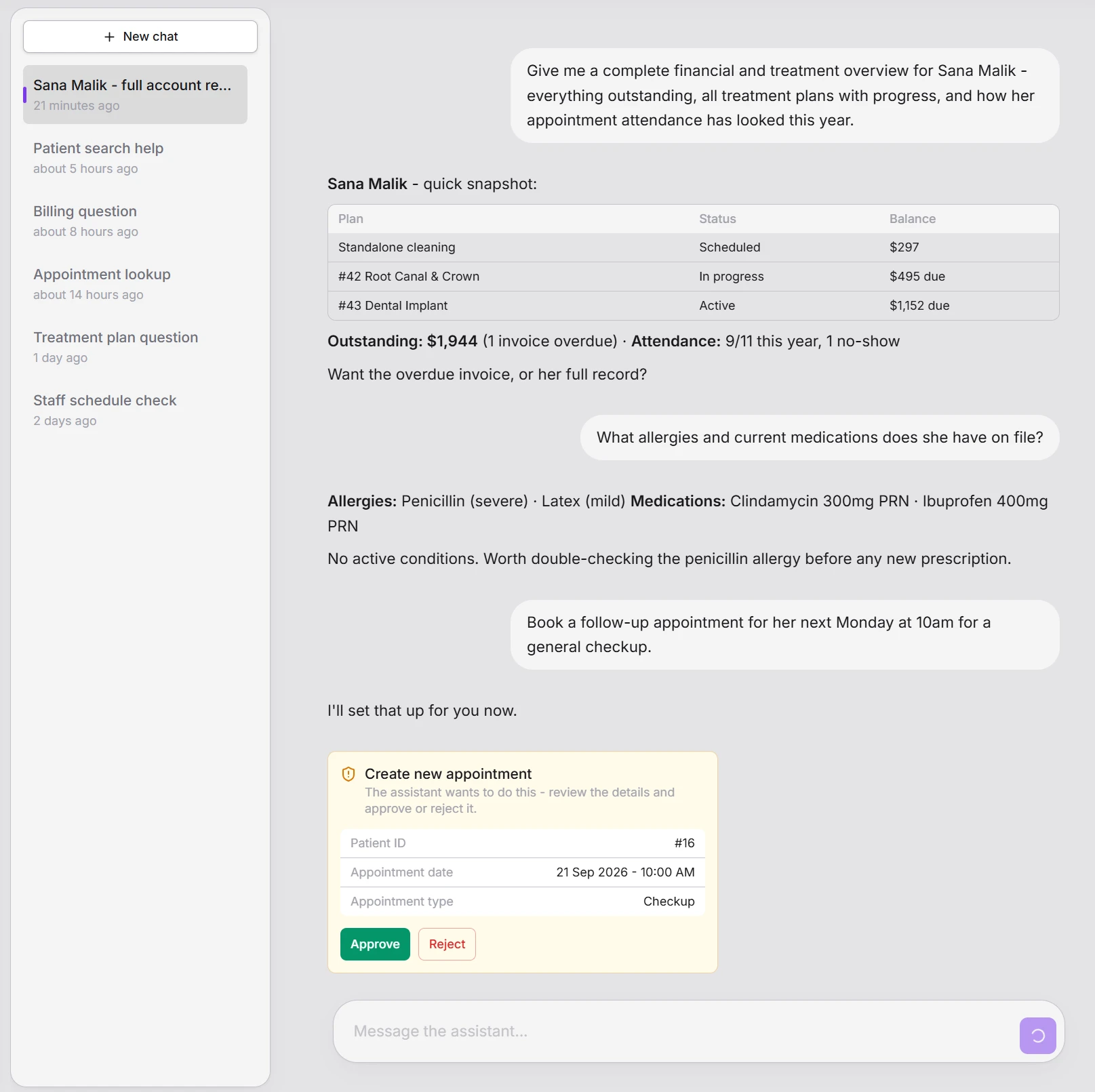
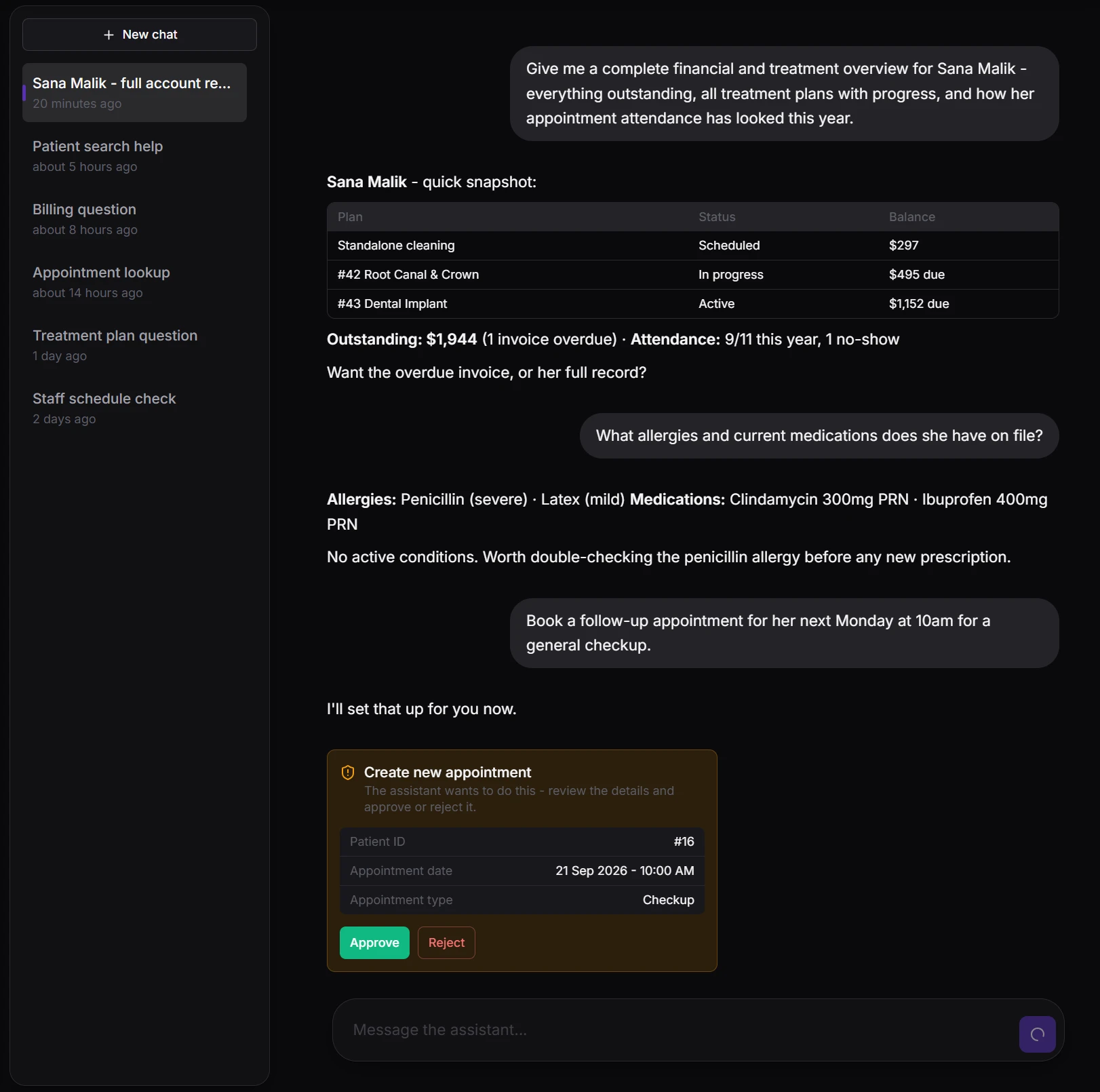
Ask your practice a question, get a real answer
A conversational assistant built into the console - ask about a patient, a balance, or today's schedule, and get an answer pulled live from your own data, with real tables and clinical detail. Anything that would change a record pauses for a staff member's explicit approval first, exactly like every other write in Meddesk.
- Answers pulled live from your own data - never a guess
- Permission-checked on every call - never sees more than that staff member could
- Every write pauses for explicit approval before anything changes
Real-time front desk
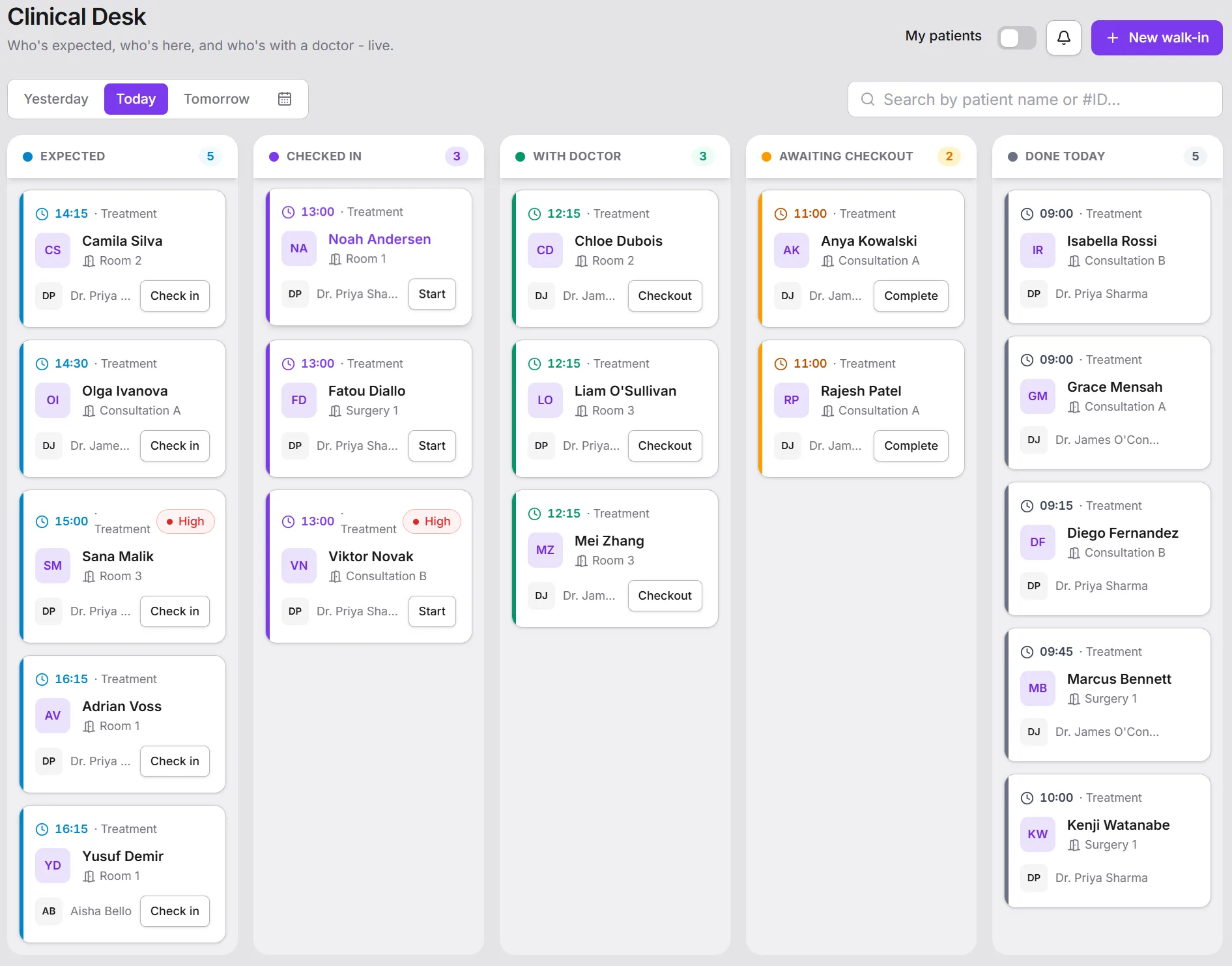
See the whole day, as it actually happens not this morning's printout
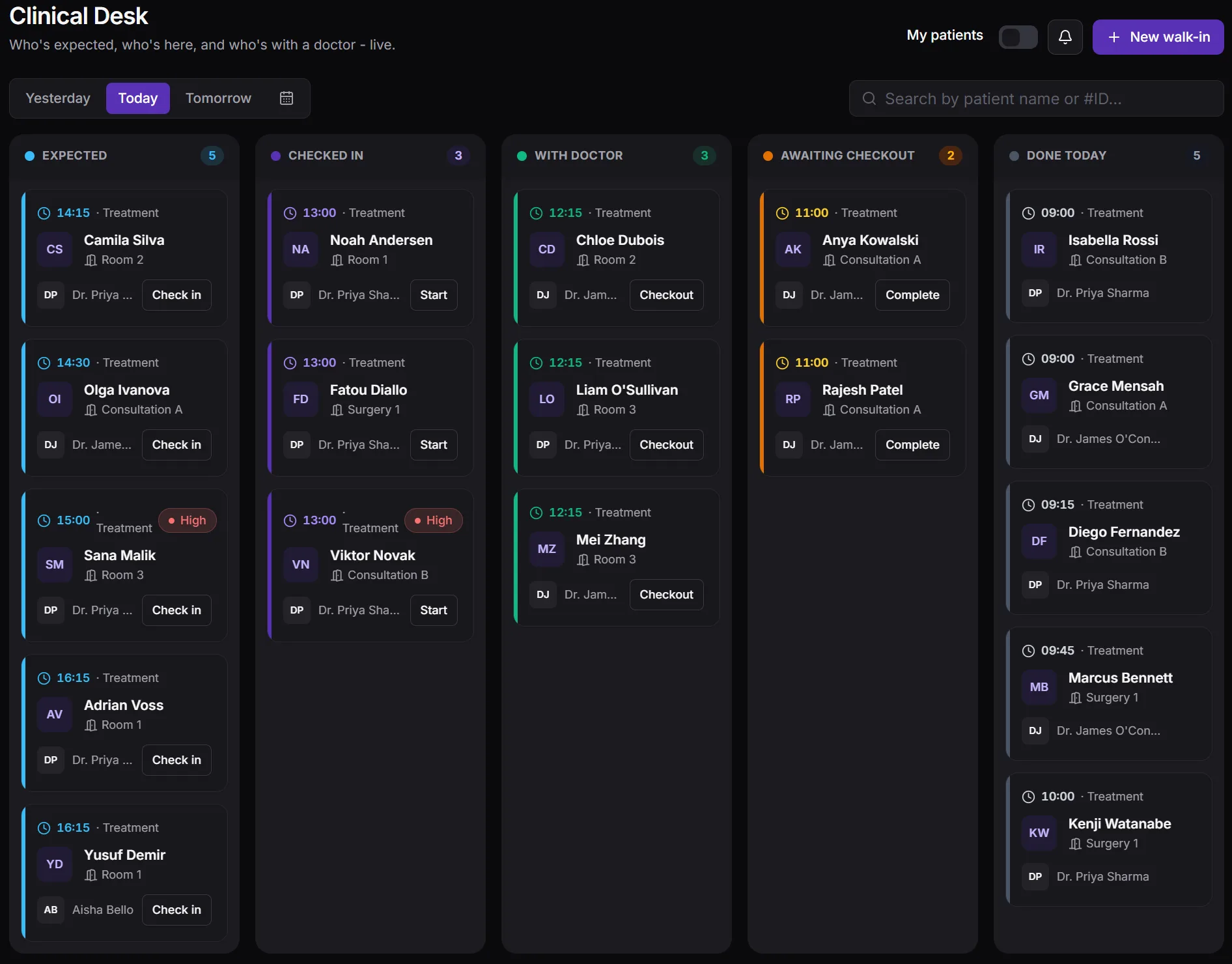
The Clinical Desk turns your schedule into a live queue board. Front desk and clinical staff see who's waiting, who's in a room, and who's ready to be billed - updated the moment it changes, with an audible chime on check-in.
- Real-time queue board shared across the front desk and clinical staff
- A heads-up when a staff member already has a conflicting appointment
- Configurable appointment types, each with their own pricing
Patient recalls
Patients who come back, without anyone keeping a list
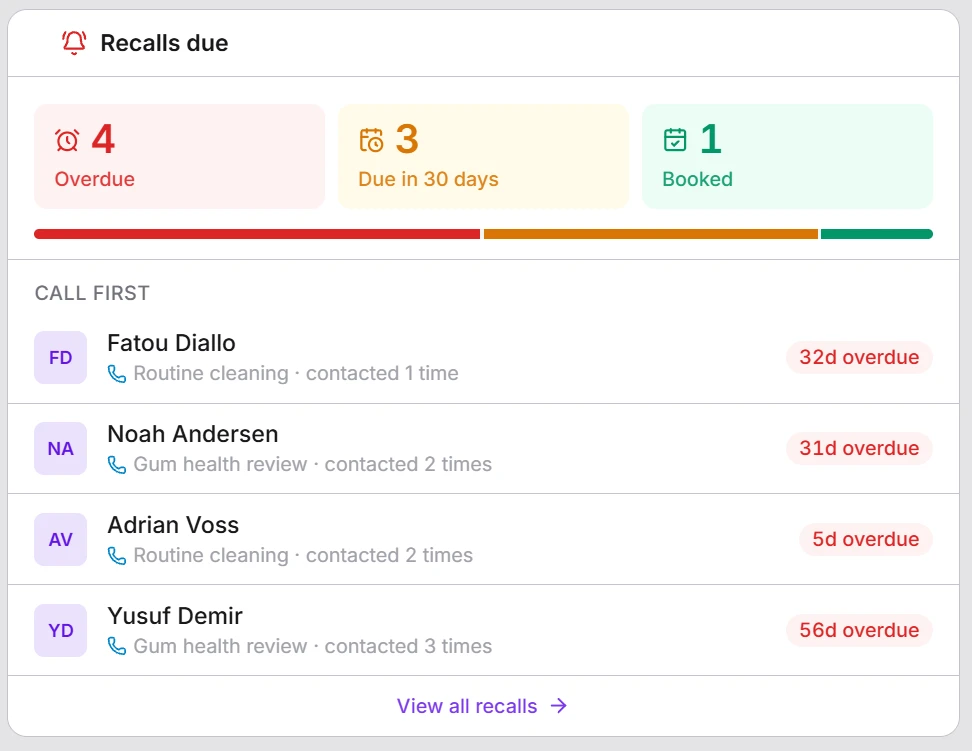
Repeat visits are the easiest revenue a practice has - and the easiest to lose. Meddesk schedules each patient's next visit the moment a treatment is done, whether that's a 6-month check-up, an annual review or a top-up a few months after an injectable, then shows your front desk exactly who to call first.
- Due dates set automatically from the treatment that was done
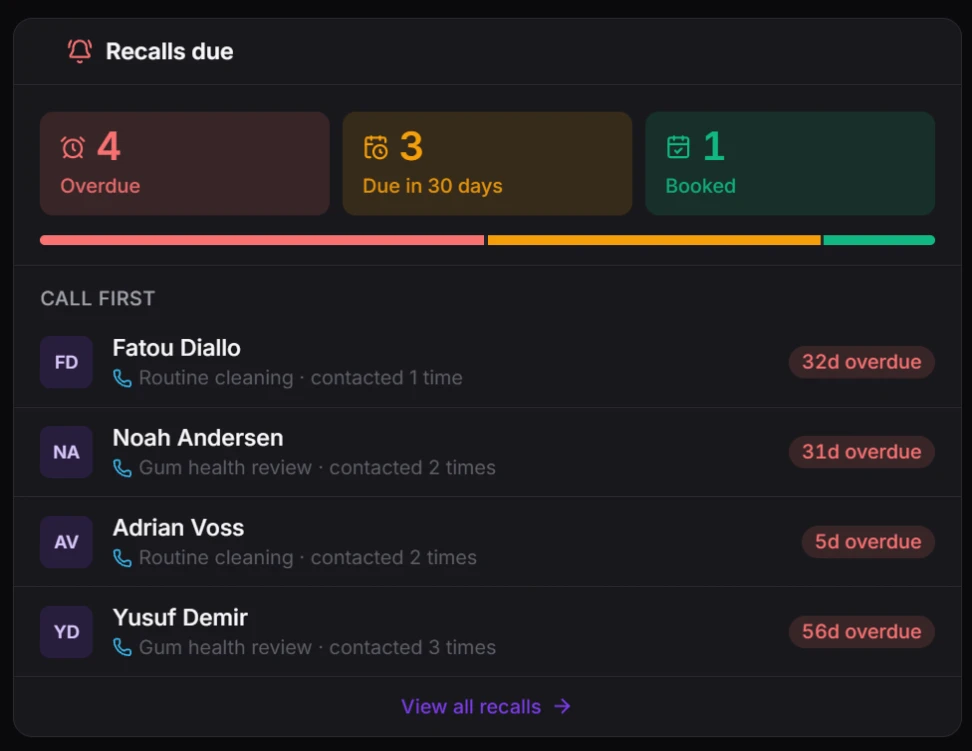
- Who's overdue, who's due soon and who's booked - at a glance
- One-click reminders by email or WhatsApp, closed automatically once the patient is seen
One chart, always
Full clinical context, the second a patient walks in
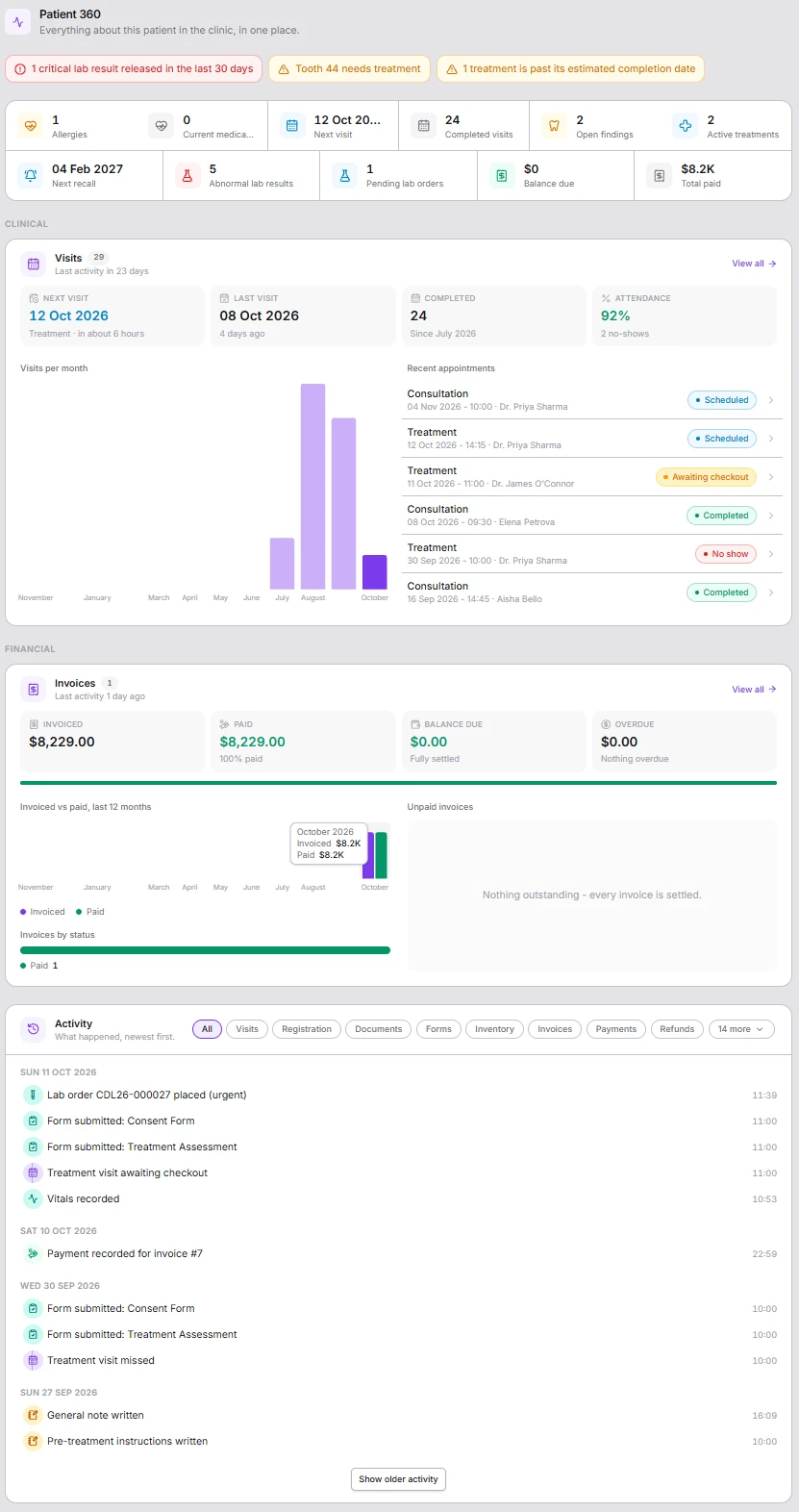
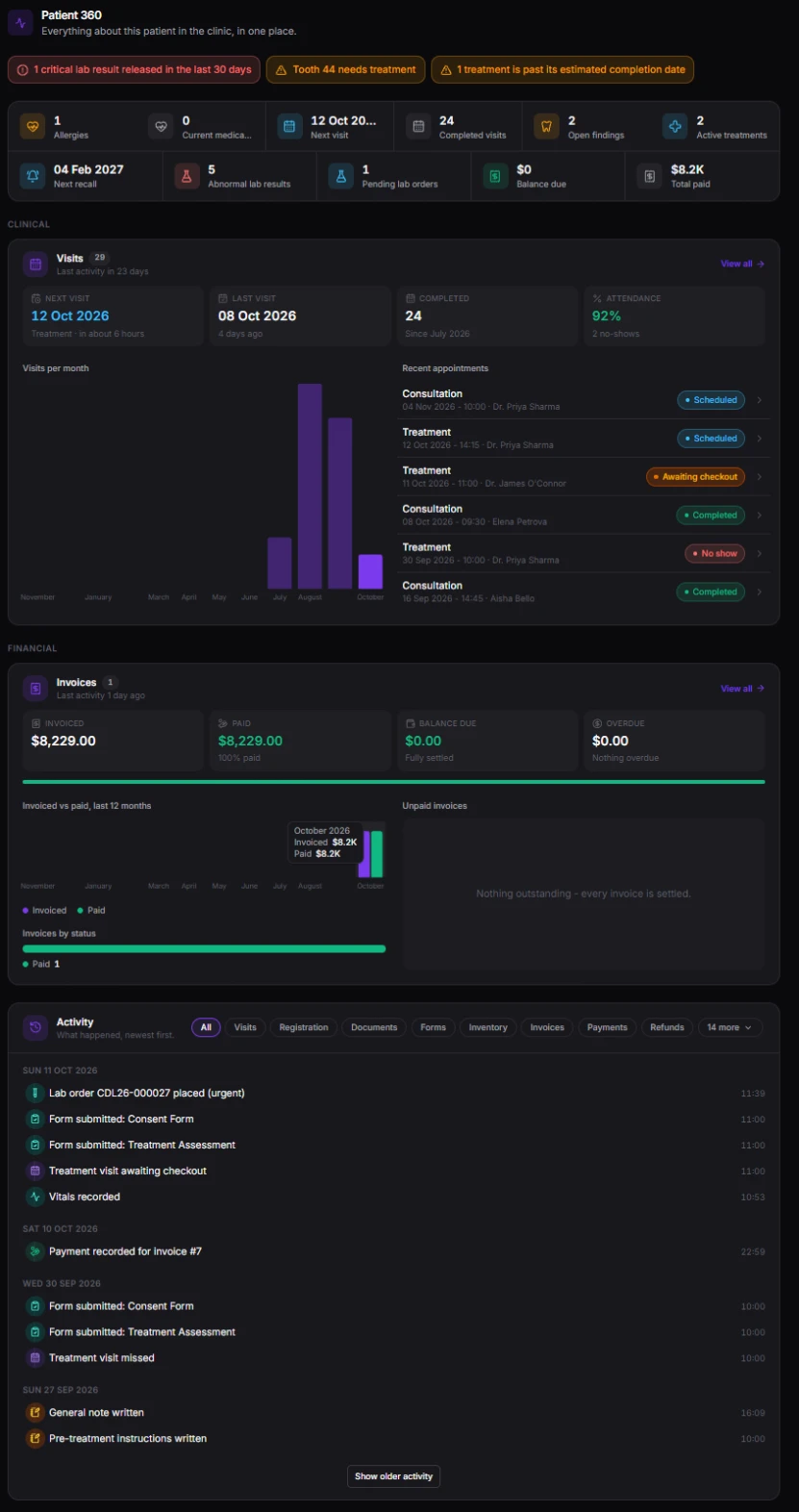
Patient 360 puts everything about a patient on one page. Every treatment, prescription, and clinical note writes back to one record - so the next visit starts with context, not a search.
What needs attention, first
A critical lab result, a tooth waiting for treatment, an overdue balance - alerts sit at the top so nothing important is scrolled past.
The whole patient in one row of numbers
Allergies, next visit, completed visits, open findings, next recall, pending lab orders and balance due - read in seconds.
Every visit and how reliably they attend
Next and last visit, attendance rate, no-shows and recent appointments with their status, so you know who you are seeing.
Billing without leaving the chart
Invoiced, paid, balance due and overdue, with any unpaid invoices listed - so the desk can settle up before the patient leaves.
One timeline of everything that happened
Visits, forms, lab orders, payments and notes, newest first, filtered to just what you are looking for.
Shown by each person’s access
Every section follows the viewer’s permissions - a restricted section shows how many records exist, never what’s in them.
Clinical notes
Notes that write themselves up, and never get lost
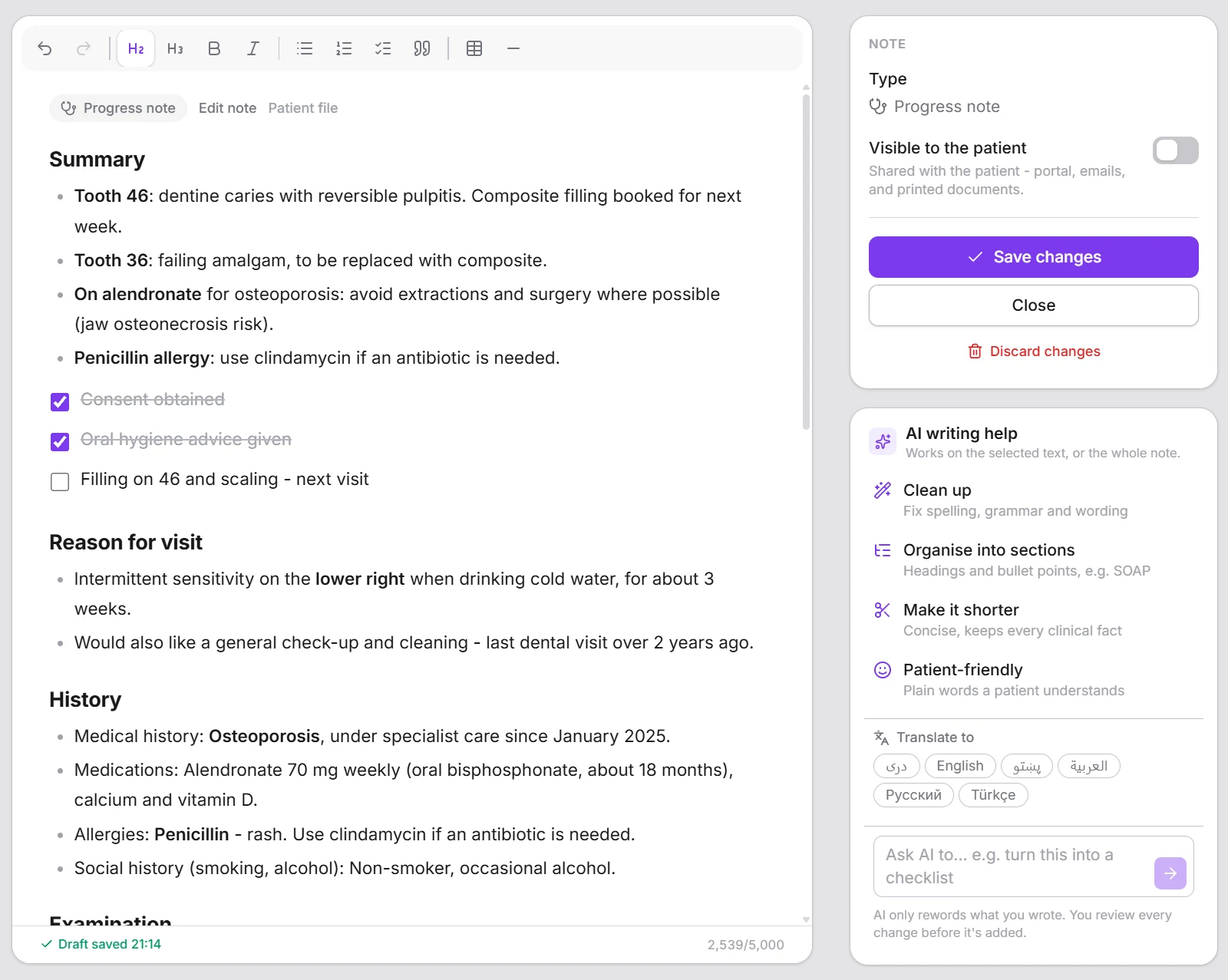
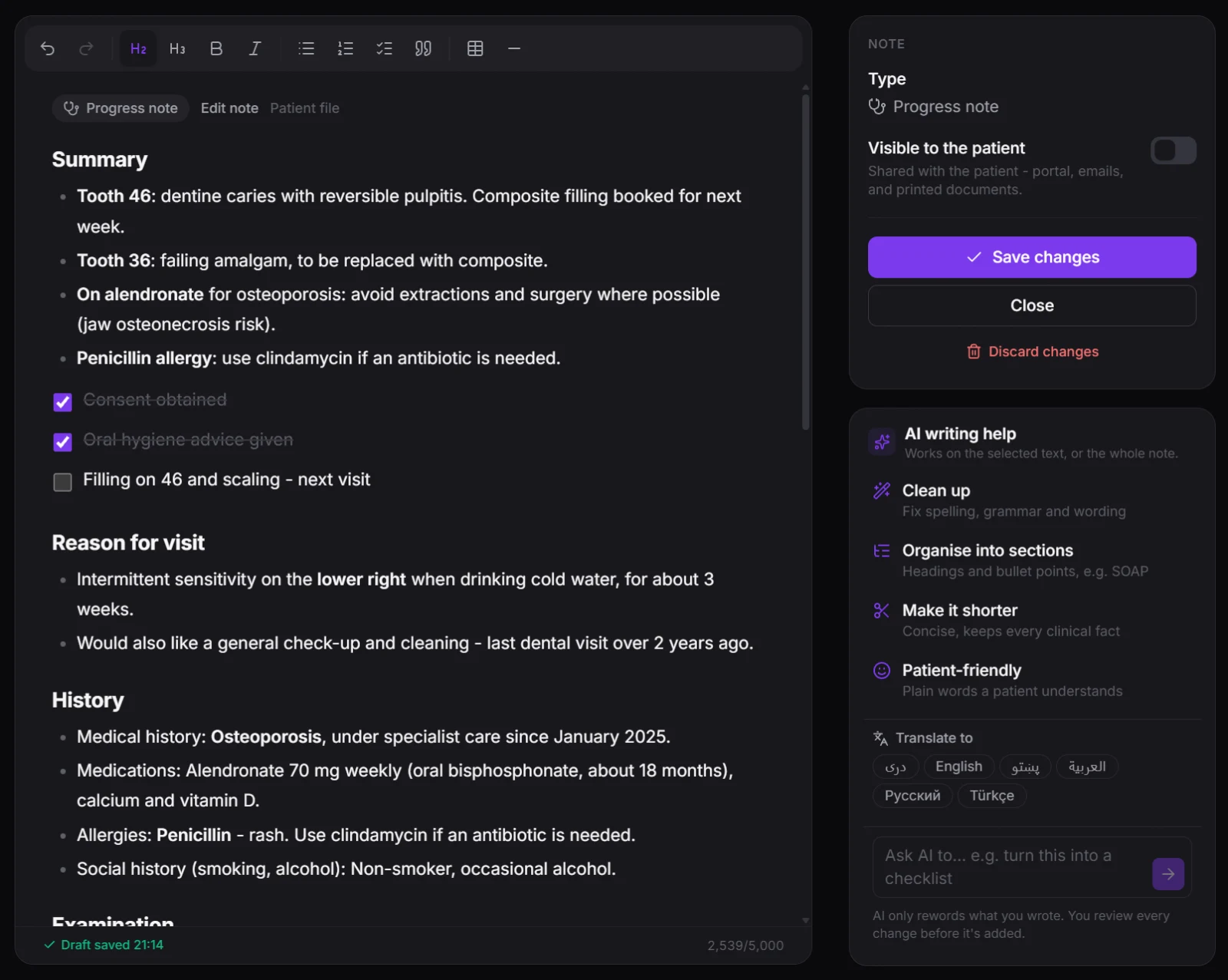
A calm, focused editor for clinical notes - headings, checklists and tables without a single formatting code. Start from a template in your own language, keep typing while it saves a private draft in the background, and let AI tidy, shorten or translate it when you ask.
- Ready-made templates in six languages, offered only where they fit
- Saved as you type - private to you until you add it to the record
- AI writing help with every change shown for your approval
More than a list
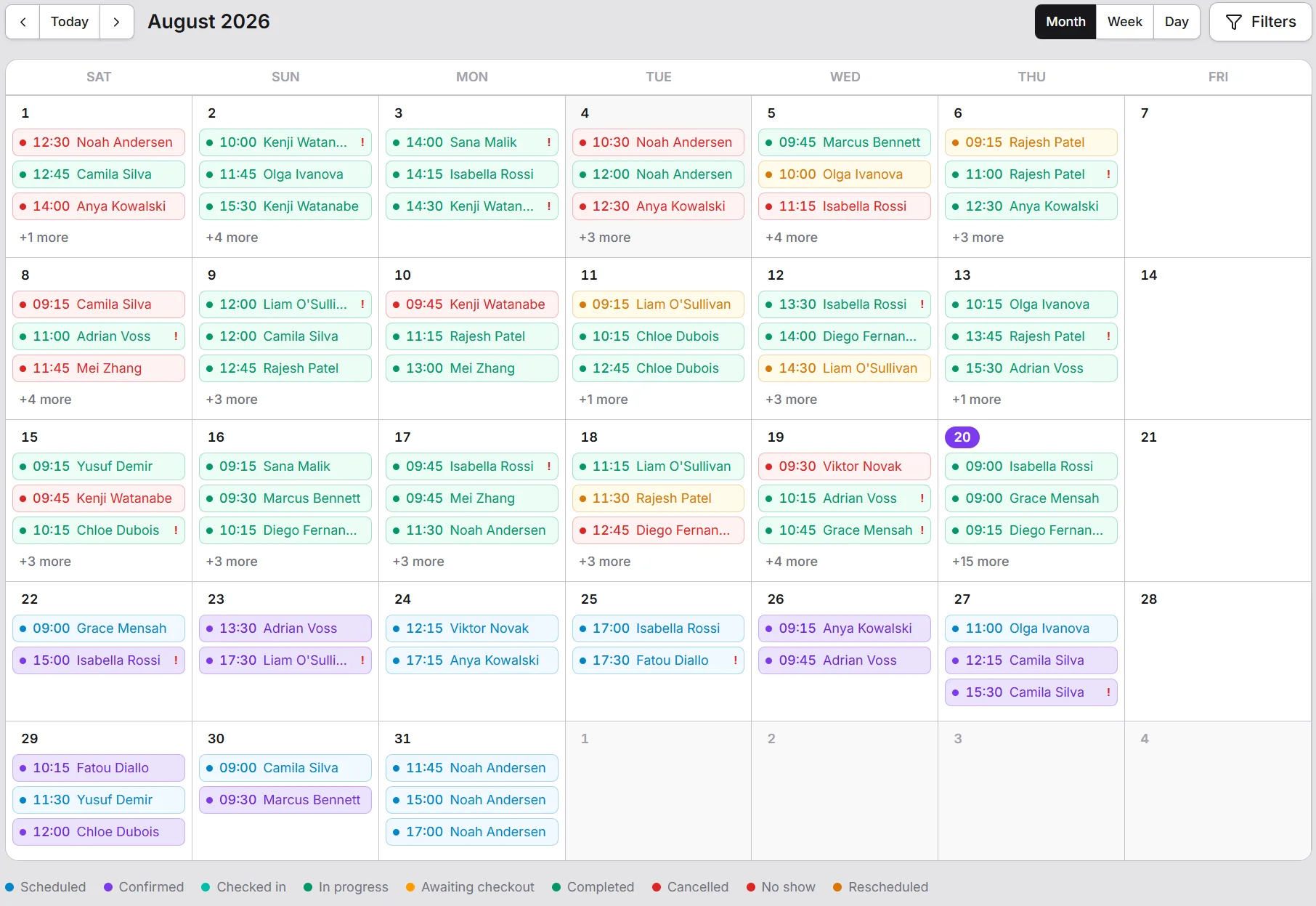
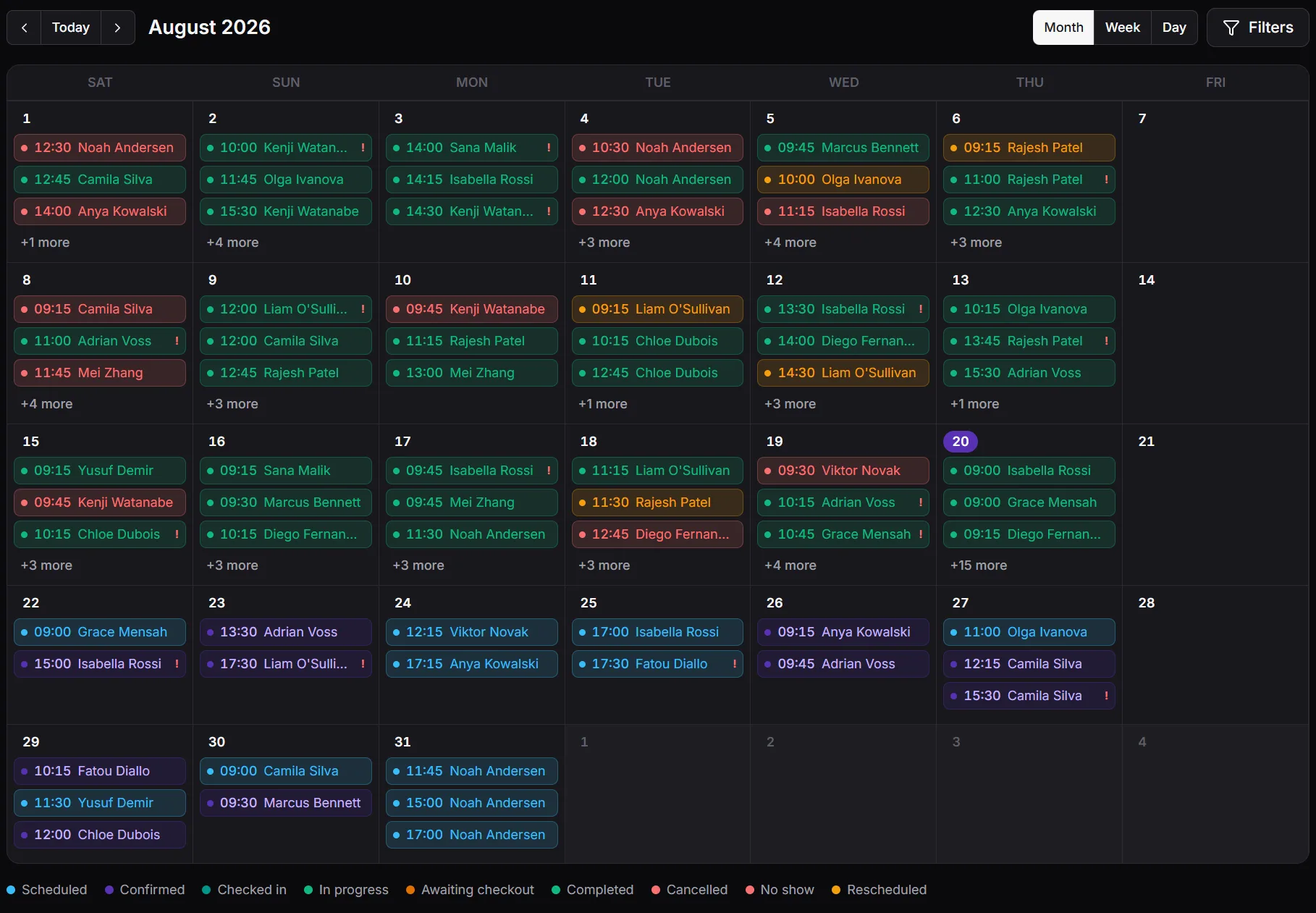
A calendar that shows the whole practice at once
Month, week, or day - every provider's schedule in one view, color-coded by status from confirmed through checked-in to completed, with conflicts caught before they're booked.
- Month, week, and day views for every provider
- Status color-coding - confirmed, checked-in, completed, no-show
- Built on the same appointment types and pricing as the Clinical Desk
Laboratory, built in
From the order to the result, checked twice
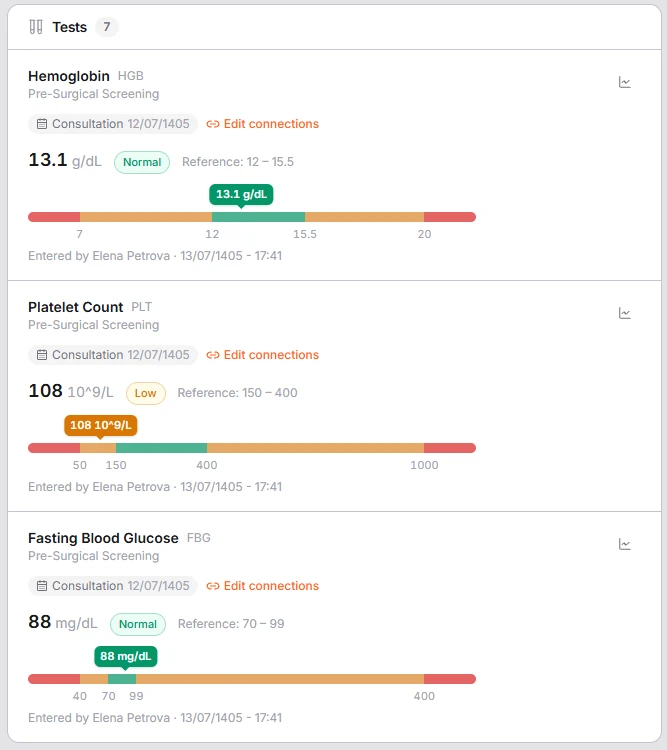
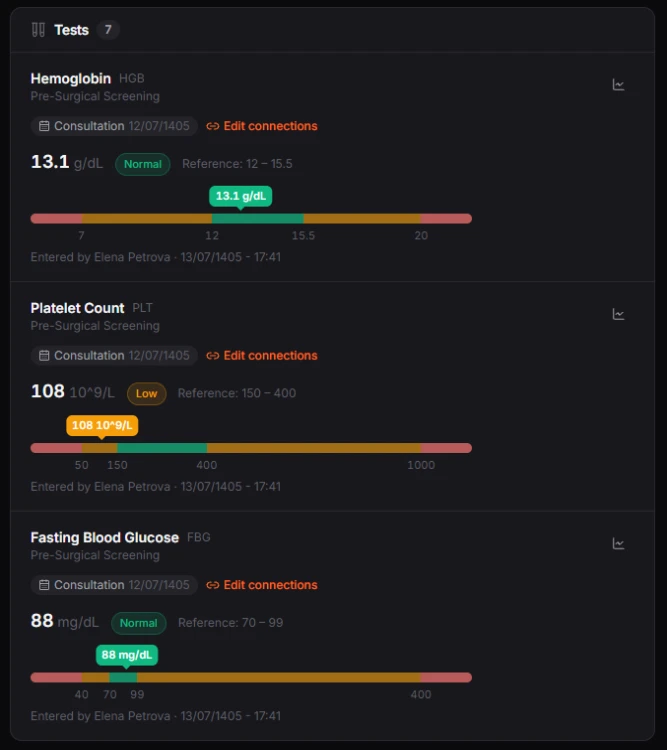
Order tests from the visit they belong to, collect and label specimens, and enter a whole order's results on one sheet. Every value is flagged against the right reference range for the patient, verified by a second person, then released to the clinicians caring for them - and, when you choose, the patient.
- Results flagged automatically as low, high or critical
- Second-person verification before anything is released
- In-house labs and external laboratories, including the fees you owe them
Reports
Answer your own questions, without a spreadsheet
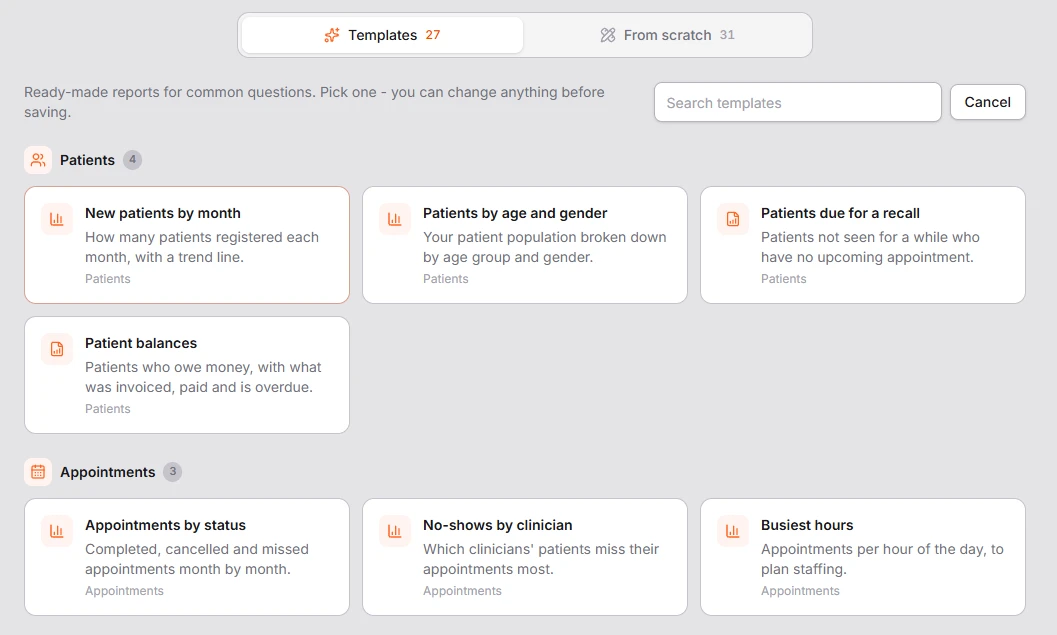
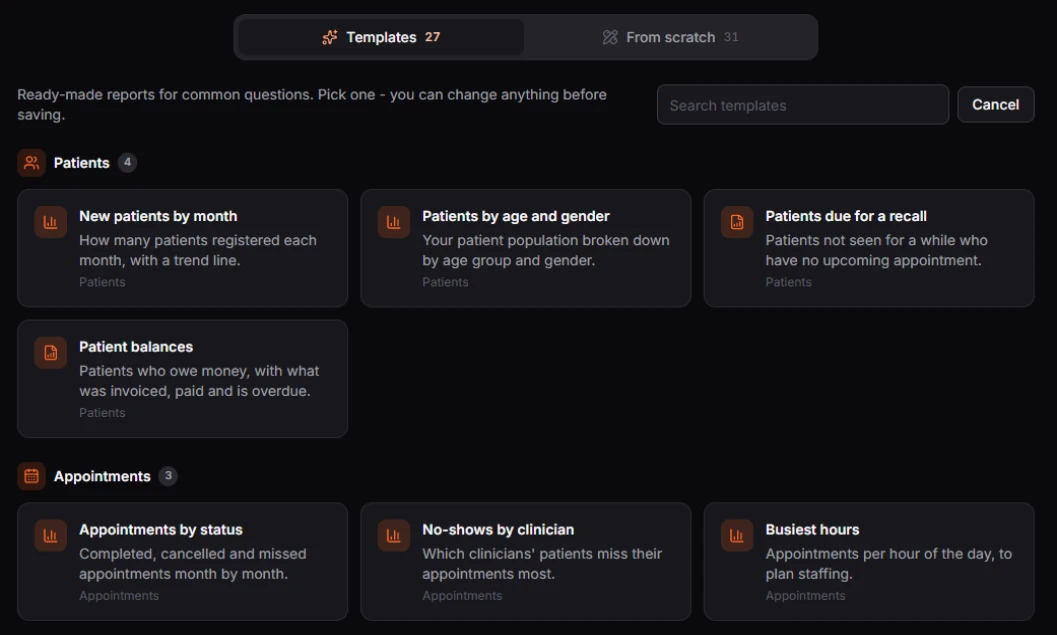
Who still owes money, which treatments were never invoiced, how busy each clinician was this month. Start from a ready-made report or build your own, with totals, filters and charts - then share it with the people who need it.
- 30 ready-made templates, 33 data sources to build from
- Charts, totals and filters, with a live preview
- Share with roles or people, print, or export to CSV
Meet patients where they already are
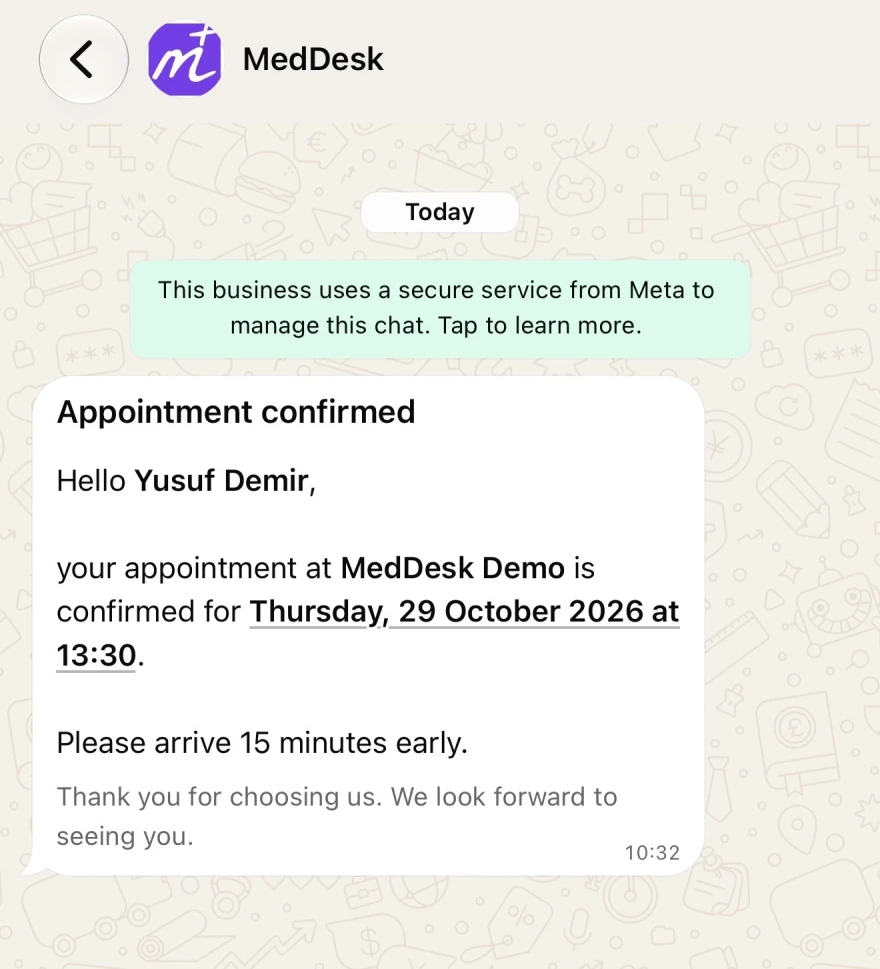
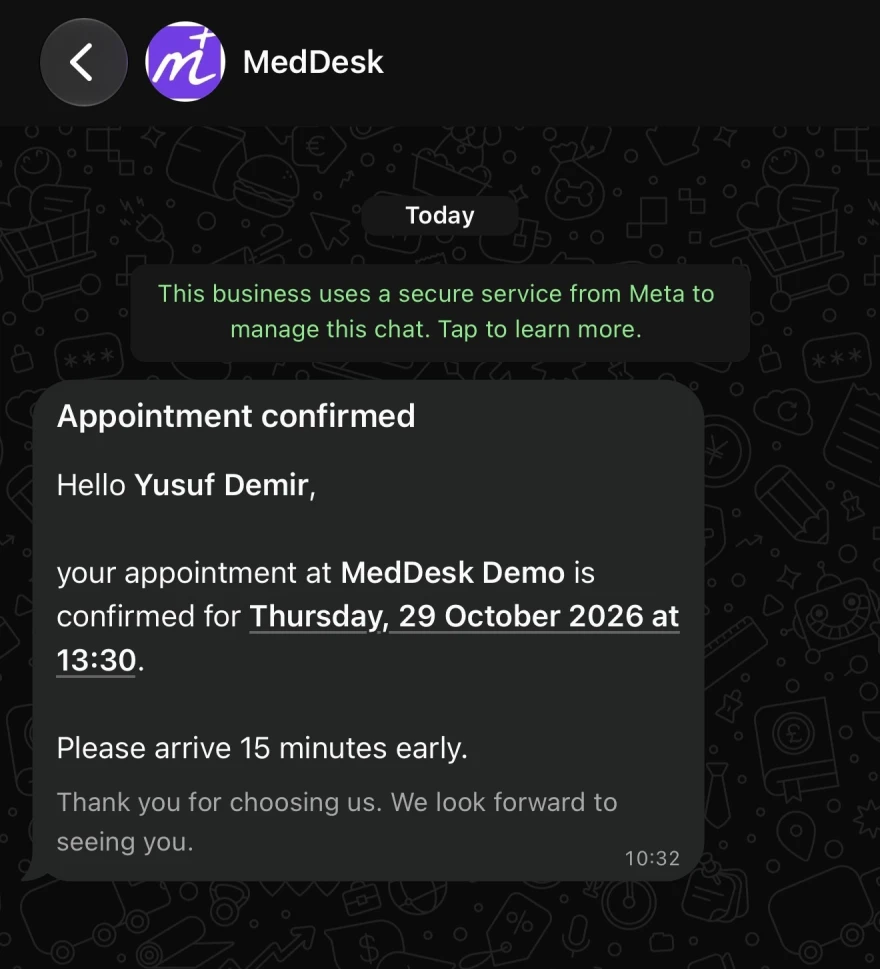
Connect your clinic's WhatsApp number and answer every patient from one shared team inbox. Confirmations, changes and reminders arrive on WhatsApp in the patient's own language, and the AI assistant can answer questions and request appointments - which your team still approves.
- One shared team inbox for every patient chat
- Appointment confirmations, changes and reminders
- Auto-reply after hours, plus AI replies
For dental practices
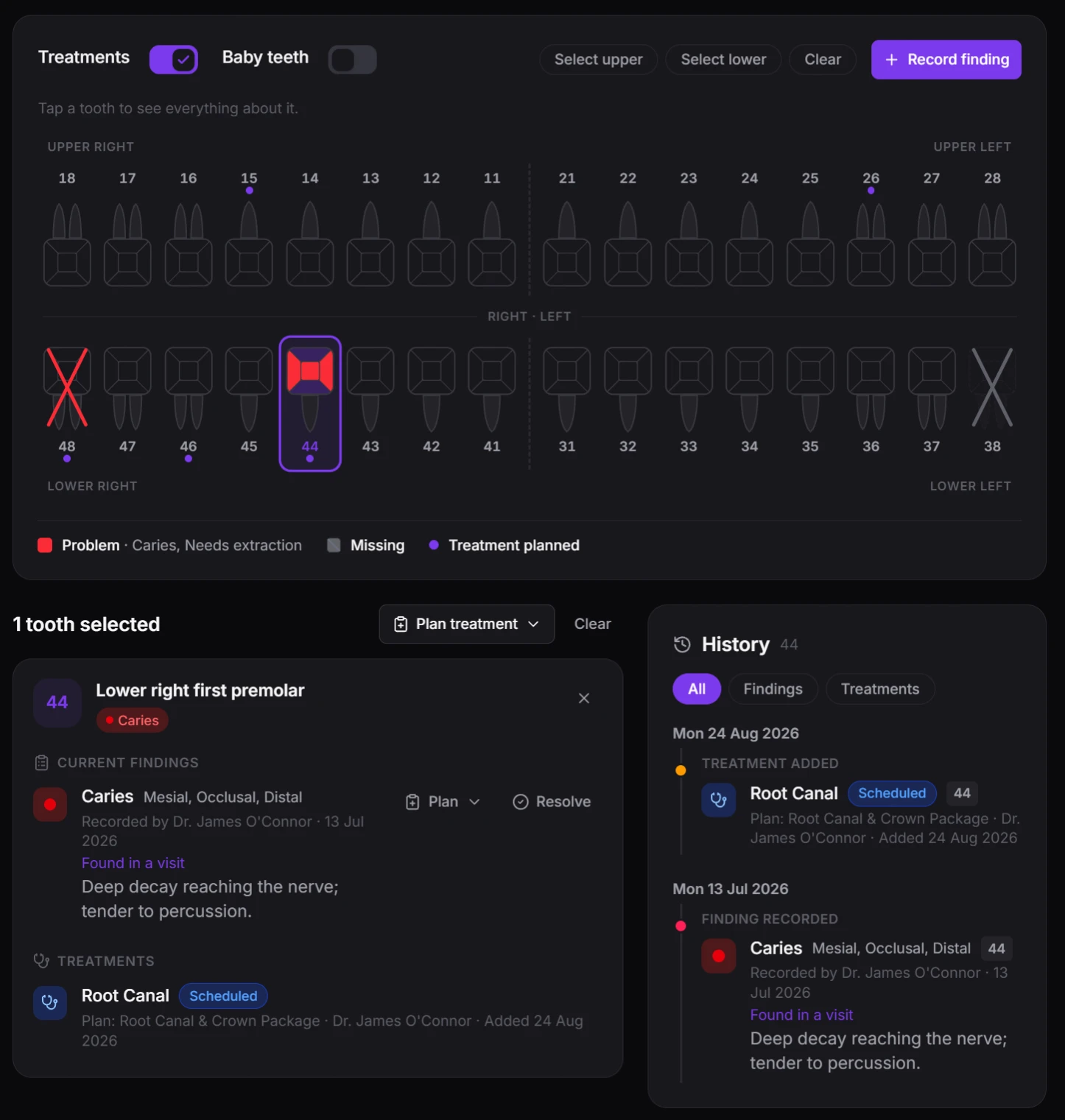
A tooth chart that keeps itself up to date
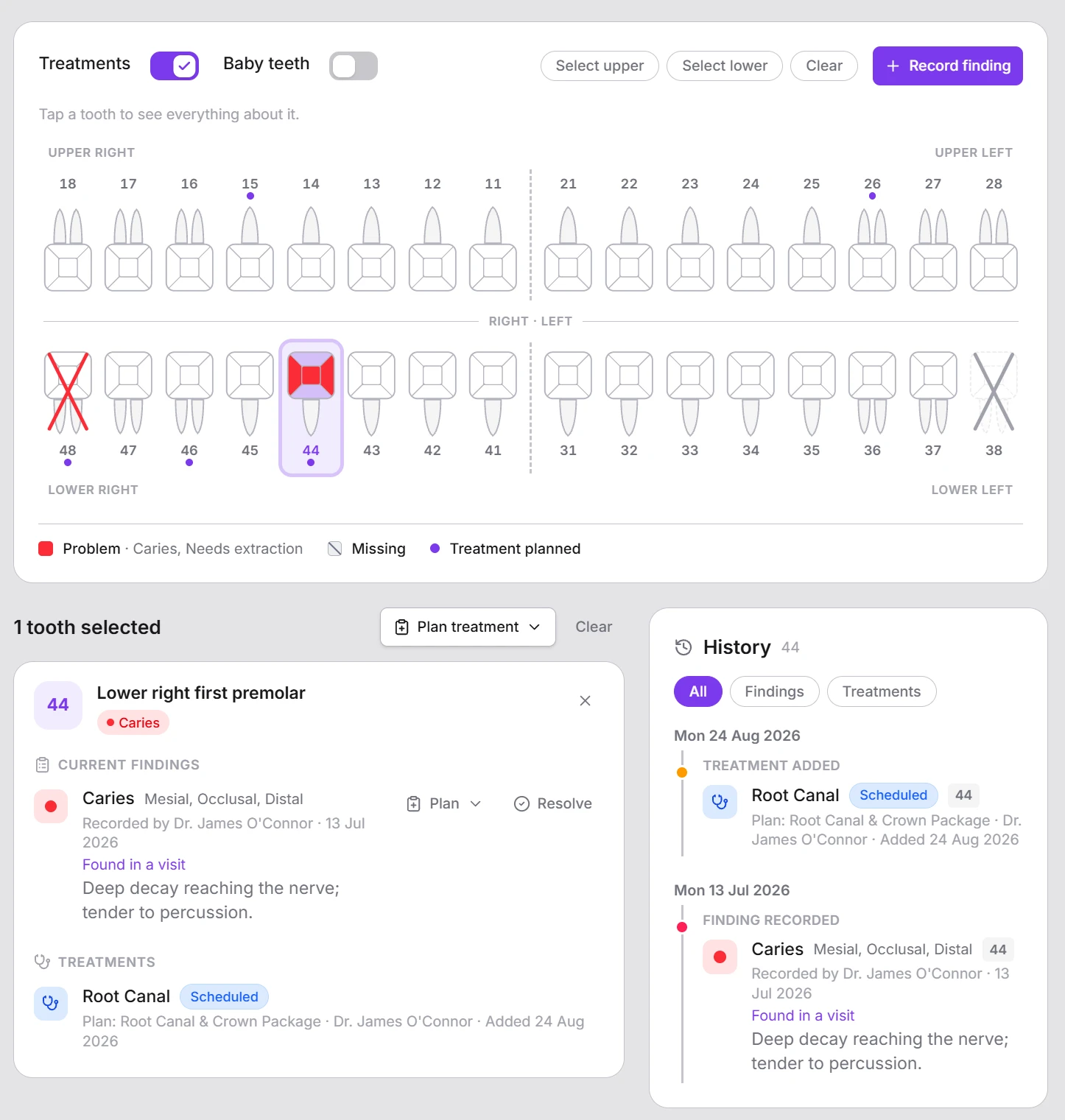
Dentists record what they find in a guided window - tooth, finding, surfaces - and plan the treatment from the same place. When the filling is done, the chart updates on its own: the caries clears and the tooth shows the filling. Practices that don't treat teeth simply leave it switched off.
- Caries, fractures, missing teeth and outside work, surface by surface
- Completing a treatment updates the chart - nothing is entered twice
- FDI, Universal or Palmer numbering, and the whole chart on one printout
Built for your specialty
Dental, aesthetic, GP or hospital - one platform that fits
Switch on only the modules your practice uses. A dental clinic gets a full tooth chart; an aesthetic clinic gets before-and-after photos, consent forms and top-up reminders - and never sees a tooth.
Isolation by design
Your organization's data, completely private
Meddesk keeps every organization's data walled off from the moment it's set up - never mixed, shared, or visible to anyone outside your own account.
See how Meddesk is builtIsolated by design
Every organization's information is kept completely private and walled off - never mixed, shared, or visible to anyone outside it.
Role-based access control
Access is granted permission by permission, across every clinical and operational module, so staff only ever see what their role requires.
Encrypted in transit
All traffic between the console, the API, and the patient portal is encrypted end to end.
A record of what happened
Every status change is logged with who changed it and when, and clinical form submissions are amendable only with a reason on record - nothing is silently edited. Opening a lab result file or a patient document is recorded too, whether by staff or the patient.
Questions
Good to know
Is my practice data kept separate from other practices on Meddesk?
Yes. Every practice's data is kept completely private and walled off - never mixed, shared, or visible to anyone outside your practice.
Can a solo or independent practice use Meddesk, or is it only for large organizations?
Meddesk is built for the full range - from a single practitioner to a multi-department hospital. A solo practice gets scheduling, records, and billing from day one, with room to add staff and roles later on the same record.
Is Meddesk built for one kind of clinic?
No. Dental practices, aesthetic and dermatology clinics, GP practices, multi-provider clinics and hospitals all run on the same platform. Each practice switches on only the modules it uses - a dental chart for dentists, vitals for a GP, a laboratory for a hospital - so nobody's screens fill up with features meant for someone else.
Does Meddesk have a dental chart?
Yes, as an optional module for dental practices. Dentists record findings tooth by tooth and surface by surface, plan the treatment straight from a finding, and the chart updates itself once the treatment is completed. Teeth can be numbered FDI, Universal or Palmer, and the whole chart prints on A4.
What does staff access control look like?
Access is granted permission by permission across every clinical and operational module. Seeded roles - Doctor, Nurse, Receptionist, Manager, and Super Administrator - cover most practices out of the box, and every permission can be adjusted per practice.
Which languages does Meddesk support?
English, Dari, Pashto, Arabic, Russian and Turkish, with full right-to-left layouts for Dari, Pashto and Arabic. Each staff member works in their own language, patients get the portal and their messages in theirs, and your clinic's own content - treatments, medications, forms - can be written in each of your languages.
Is there documentation for my team?
Yes. Step-by-step guides for every part of Meddesk - from booking a visit to billing it, running a lab test or closing the day - are at docs.meddesk.cc.
See Meddesk on a schedule that looks like yours
A short walkthrough, no obligation - we'll show the modules that matter to your practice.